
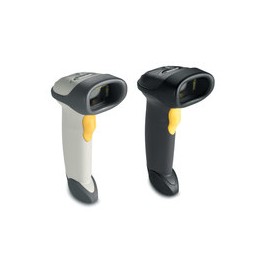
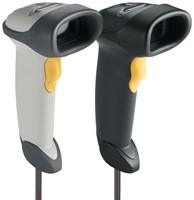
Zebra LS2208-SR20381R – musta 1D-lukija Toshiba TEC -ympäristöön
Zebra LS2208-SR20381R on musta, johdollinen käsikäyttöinen laserlukija tavallisten 1D-viivakoodien lukemiseen. Tämä SKU on Toshiba TEC -yhteensopivaksi merkitty lukijaversio ja tuote myydään pelkkänä lukijana. USB-kaapelia, jalustaa tai muuta liitäntäpakettia ei tule olettaa mukaan toimitukseen. Tarkista POS-laitteen tarkka liitäntä ja kaapelitarve ennen tilausta. LS2208-SR20381R sopii työpisteisiin, joissa tarvitaan perinteinen 1D-luku ja yhteensopivuus varmistetaan käytetyn Toshiba TEC -järjestelmän mukaan.
LS2208-sarja lukee 1D-koodeja ja on tarkoitettu esimerkiksi vähittäiskaupan kassakäyttöön. Tämä laite ei ole 2D-lukija eikä tuotetunnus itsessään vahvista kaikkien kassajärjestelmien yhteensopivuutta. Pyydä tarvittaessa Mininovalta tarkistus käyttämääsi POS-malliin sekä yhteensopivan johdon valintaan. Valmistajan tuotesivulta ja teknisestä aineistosta löytyvät sarjan käyttö- ja liitäntätiedot.
English
The Zebra LS2208-SR20381R is a black corded handheld laser scanner for standard 1D barcodes. This SKU is identified for Toshiba TEC compatibility and is sold as the scanner only. Do not assume that a USB cable, stand or interface kit is included. Check the POS host interface and cable requirements before ordering. It is intended for workstation workflows requiring 1D scanning, subject to compatibility with the specific Toshiba TEC system.
The LS2208 family reads 1D codes and is commonly used at retail workstations. This is not a 2D scanner, and the part number alone does not guarantee compatibility with every POS system. Contact Mininova to check the POS model and select a suitable cable if needed. Refer to Zebra’s product information for the family’s operating and interface details.
Zebra LS2208 product information · Technical specification sheet
Before deployment, confirm the host interface, cable and supported programming mode with the POS provider. A scanner-only shipment may require a separately ordered cable or stand for the intended setup. Review the manufacturer’s guide before configuration.


